
Download 3DVIA Shape – Easy 3D Design Tool for Beginners
Overview
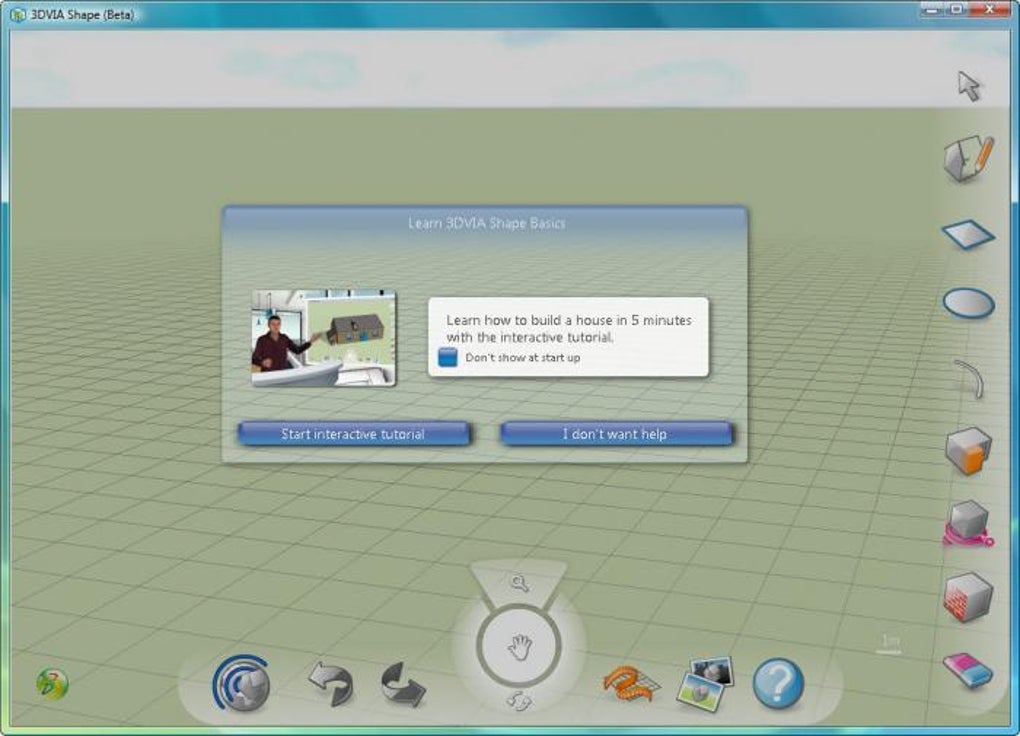
If you’ve ever felt intimidated by professional 3‑D packages, 3DVIA Shape is the friendly gateway you’ve been waiting for. Designed as the “Paint” of three‑dimensional creation, this free Windows‑only application lets anyone—from graphic‑design hobbyists to educators—draw, spin, and publish simple 3‑D objects in a matter of minutes. The moment you launch the program, a short, step‑by‑step tutorial appears, guiding you through the basics of adding cubes, spheres, cylinders, and line elements to a virtual canvas.
The interface mirrors the simplicity of Photoshop’s toolbar: one‑click shape tools, drag‑and‑drop positioning, and real‑time shading that instantly shows how light interacts with your model. While the tool does not replace heavyweight suites such as Blender or AutoCAD, it excels at delivering a low‑learning‑curve experience for first‑time modelers. The only caveat is the mandatory free user account, which stores your creations on the 3DVIA cloud; however, published models can be exported as 3DXML files for offline use.
In short, 3DVIA Shape provides a secure, no‑cost way to dip your toes into 3‑D design, making it ideal for classroom projects, quick visual mock‑ups, or anyone who simply wants to explore the third dimension without a steep software investment.
Key Features That Make 3DVIA Shape Stand Out
- Intuitive Drag‑and‑Drop Canvas: Place primitive shapes—cubes, spheres, cones, and cylinders—onto a grid with a single mouse click.
- Real‑Time Shading & Lighting: Automatic light source simulation provides instant visual feedback on surface reflections.
- Step‑by‑Step Interactive Tutorial: The built‑in guide walks new users through twelve essential actions, from creating a shape to publishing it online.
- Cloud‑Based Storage & Sharing: All models are saved to your personal 3DVIA profile, allowing easy sharing via a unique URL or download as a 3DXML file.
- Export Options: Export to 3DXML, OBJ, or STL formats for use in other 3‑D programs or 3‑D printing workflows.
- Free, No‑License Required: 3DVIA Shape is completely free to download and use; the only requirement is a free Dassault Systemes account.
- Basic Animation Support: Simple rotation and scaling keyframes let you create short preview animations for presentations.
- Cross‑Platform Compatibility (Future Roadmap): While currently Windows‑only, the developer has hinted at upcoming macOS and iOS versions.
Installation, First‑Run Setup, and Compatibility
How to Download and Install
Downloading 3DVIA Shape is straightforward. Visit the official Dassault Systemes website, click the “Download Free” button, and save the installer (approximately 120 MB). Run the .exe file; the wizard will guide you through standard Windows installation steps—accepting the license agreement, choosing an installation folder (the default C:\Program Files\3DVIA Shape works well), and confirming required components such as .NET Framework 4.7.2, which the installer adds if missing. After the progress bar completes, launch the application from the desktop shortcut.
First‑Run Tutorial and Account Creation
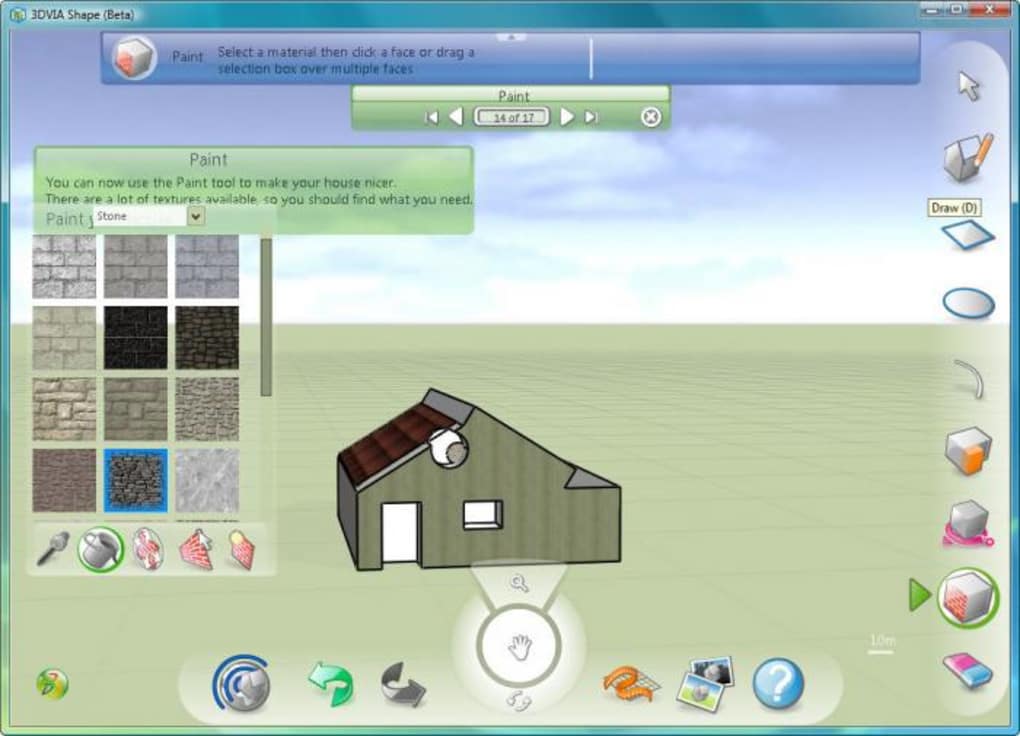
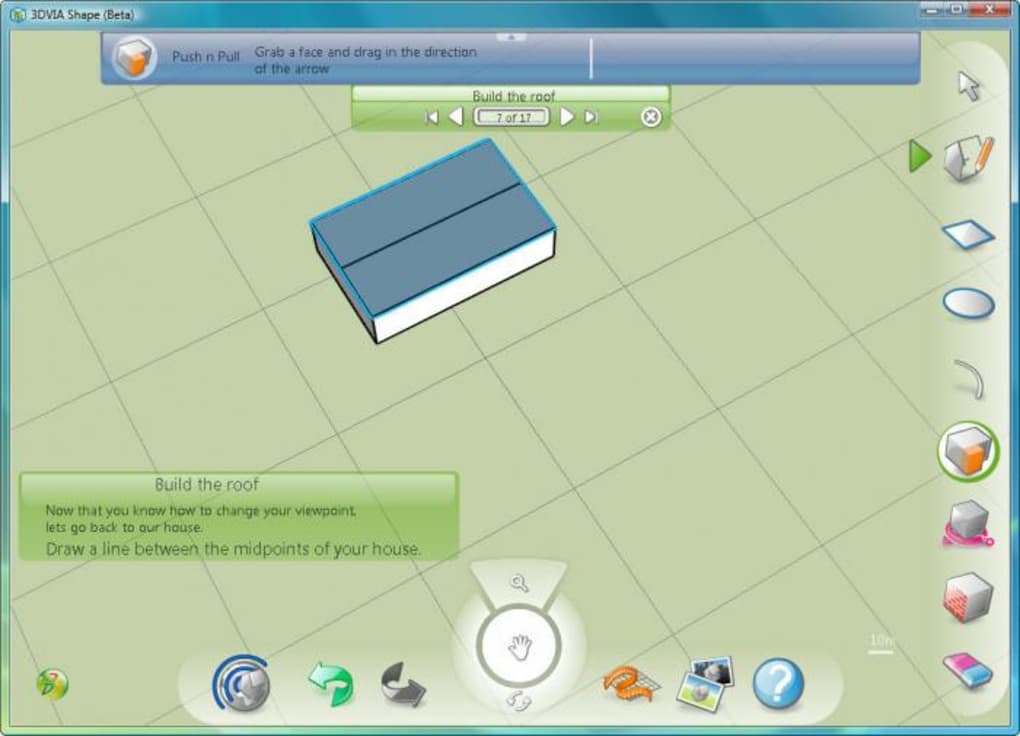
On the very first launch, 3DVIA Shape automatically opens a pop‑up tutorial. Follow each of the twelve steps: creating a primitive shape, moving it along the X‑Y‑Z axes, applying a basic material, and finally publishing the model to your cloud profile. The tutorial not only teaches the UI but also explains how to navigate the 3‑D viewport using mouse gestures—rotate with right‑click drag, pan with middle‑click, and zoom with the scroll wheel. To publish, you’ll be prompted to create a free 3DVIA account by providing a valid email address and password. Once registered, you can log in directly from the software and instantly upload your first model.
Operating System Support
3DVIA Shape currently supports Windows 10 and Windows 11 (64‑bit). The software relies on modern graphics drivers and DirectX 11, so make sure your PC meets the minimum requirements: a dual‑core CPU, 4 GB RAM, and a graphics card with at least 512 MB VRAM. Although a macOS version is not yet available, users can run the Windows installer via virtualization tools such as Parallels Desktop or VMware Fusion.
Updating the Software
Updates are delivered through an automatic check each time you start the program. When a new version is detected, a discreet notification appears, allowing you to download the patch without leaving the interface. Because the application is free, all updates are provided at no cost, ensuring you always have the latest features and security patches.
Pros and Cons – A Balanced Look at 3DVIA Shape
Advantages
- Zero cost: Completely free for personal and educational use.
- Beginner‑friendly UI: Minimal learning curve compared with professional 3‑D suites.
- Instant cloud publishing: Share models online with a single click.
- Export flexibility: Supports common 3‑D file formats for downstream workflows.
- Lightweight installation: Small download size and modest hardware requirements.
Drawbacks
- Mandatory account creation: Users must register, which may deter privacy‑concerned individuals.
- No local file saving: Projects are stored in the cloud; offline work requires exporting after each session.
- Limited modeling tools: Only basic primitives and simple transformations are available.
- Windows‑only at present: No native macOS, Linux, or mobile versions yet.
- Basic rendering engine: Lacks advanced textures, materials, and lighting options found in professional tools.
Overall, 3DVIA Shape earns a solid four‑star rating for delivering a genuinely approachable entry point into 3‑D design without charging a dime.
Frequently Asked Questions
Do I need a powerful computer to run 3DVIA Shape?
No. The software is designed for low‑to‑mid‑range PCs. A dual‑core processor, 4 GB RAM, and a modest graphics card that supports DirectX 11 are sufficient for most basic projects.
Can I export my models for 3‑D printing?
Yes. 3DVIA Shape lets you export to STL, a format widely accepted by 3‑D printers. After publishing to your cloud profile, simply download the model as an STL file and import it into your slicer software.
Is there a way to work offline without an internet connection?
While the program requires an account for initial setup, you can continue to create and edit models offline after logging in. However, you must reconnect to the internet to publish or export your work.
Are there any hidden costs or premium features?
No. 3DVIA Shape is completely free. All features—including cloud storage, basic animation, and export options—are available without any subscription or in‑app purchases.
Will my 3D models be publicly visible on the 3DVIA website?
Your models are stored in a private profile by default. You can choose to share a public link or keep the model private. The platform gives you full control over visibility.
Conclusion – Should You Download 3DVIA Shape?
For anyone standing at the threshold of 3‑D creation, 3DVIA Shape offers an exceptionally low barrier to entry. The combination of a free price tag, a guided tutorial, and instant cloud publishing makes it a perfect starter app for students, hobbyists, and educators who need to illustrate simple concepts without investing in heavyweight software. While the requirement to create a free account and the lack of local file saving may feel restrictive to power users, these trade‑offs are reasonable given the target audience. If you’re looking for a secure, easy‑to‑download tool that lets you sketch basic three‑dimensional objects and share them online, 3DVIA Shape is the answer. Download it today, follow the quick tutorial, and start building your first 3‑D model in minutes!







